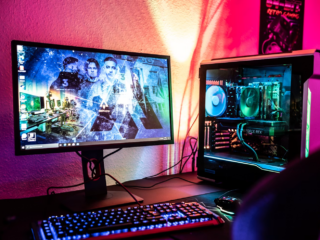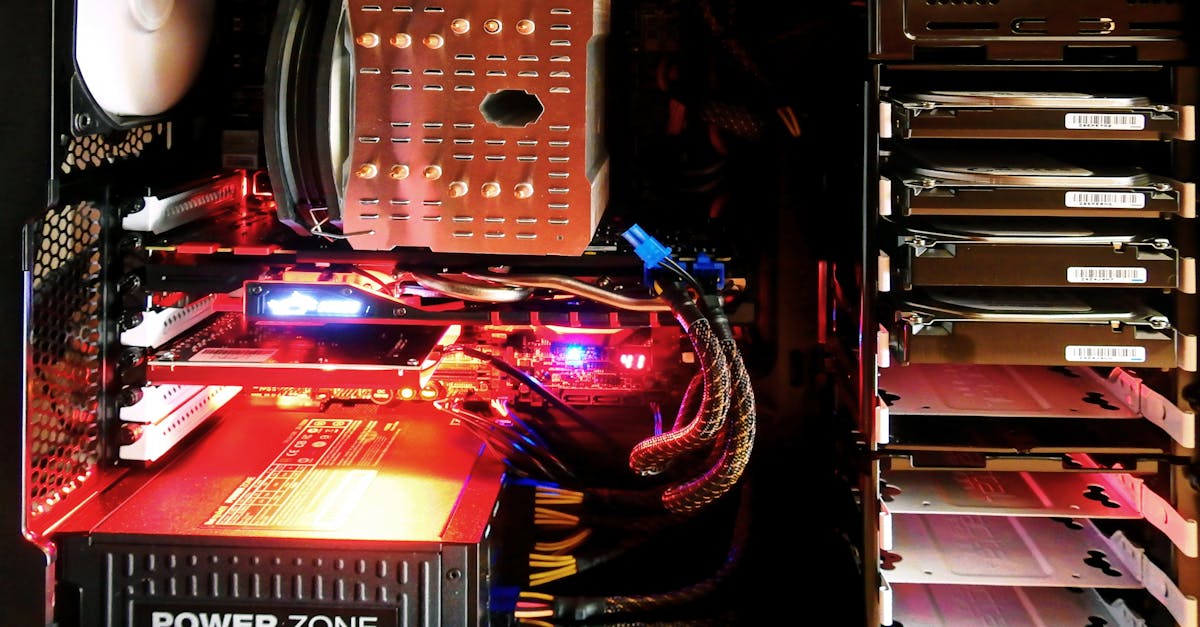
Picture this: You’re in the final round of your favorite shooter. The map’s loading, your heart’s pounding, and then—lag. Not the internet kind, but the kind where your hard drive for PC gaming just can’t keep up. If you’ve ever watched a loading screen crawl while your friends are already in the action, you know the pain. Here’s the part nobody tells you: your hard drive isn’t just storage. It’s the silent partner in every win, every loss, and every “just one more game.”
Why Your Hard Drive for PC Gaming Matters
Let’s break it down. Your hard drive for PC gaming does more than hold your games. It decides how fast you load into matches, how quickly textures pop in, and whether your system stutters when the action heats up. If you’re still using an old spinning drive, you’re not just behind—you’re giving your competition a head start.
Think about this: Modern games like Call of Duty: Warzone or Cyberpunk 2077 can eat up over 100GB each. If your hard drive for PC gaming is slow, you’ll spend more time waiting and less time playing. And if you’re juggling a library of massive titles, you need space and speed. That’s not just a luxury—it’s a necessity.
Types of Hard Drives for PC Gaming
Here’s where things get real. Not all hard drives for PC gaming are created equal. Let’s look at your options:
- HDD (Hard Disk Drive): The classic. Cheap, lots of space, but slow. Think of it as the minivan of storage—reliable, but not winning any races.
- SATA SSD (Solid State Drive): Faster than HDDs, still affordable. Games load quicker, but you might run out of space if you’re a collector.
- NVMe SSD: The sports car. Blazing fast, but pricier. If you want the best hard drive for PC gaming, this is it.
If you’re on a budget, a combo works: use an SSD for your favorite games and an HDD for everything else. That way, you get speed where it counts and space for your backlog.
How Much Storage Do You Really Need?
Here’s the truth: 500GB used to be enough. Now, it’s barely a starter pack. If you play AAA games, aim for at least 1TB. If you stream, mod, or record gameplay, 2TB or more is smart. I once tried to squeeze Red Dead Redemption 2, Microsoft Flight Simulator, and a few indie gems onto a 500GB SSD. Spoiler: I spent more time uninstalling than playing.
Ask yourself: Do you play one game at a time, or do you bounce between titles? If you’re the latter, don’t skimp on space. Nothing kills the mood like “Not enough storage” popping up mid-download.
Speed: The Secret Weapon
Let’s talk numbers. A standard HDD reads at about 100MB/s. A SATA SSD? Around 500MB/s. NVMe SSDs can hit 3,000MB/s or more. That’s not just marketing fluff. It means you’ll load into Grand Theft Auto V in seconds, not minutes. You’ll fast-travel in The Witcher 3 and actually get there fast.
If you’ve ever missed a drop in a battle royale because your textures loaded late, you know how much speed matters. Upgrading your hard drive for PC gaming can feel like cheating—except it’s totally fair.
What About Reliability?
Here’s a hard truth: All drives fail eventually. I learned this the hard way when my old HDD died mid-campaign, taking my saves with it. SSDs are more reliable—no moving parts—but they’re not immortal. Always back up your saves, especially if you’re deep into a 100-hour RPG.
Look for drives with good warranties and solid reviews. Brands like Samsung, Western Digital, and Crucial have strong track records. Don’t gamble with no-name drives just to save a few bucks. Your games—and your sanity—are worth more.
Who Needs a High-Performance Hard Drive for PC Gaming?
If you play casual games like Stardew Valley or Among Us, you can get by with almost any drive. But if you love open-world games, competitive shooters, or anything with huge files, a fast hard drive for PC gaming is a must. Streamers, modders, and anyone who hates waiting will see the biggest difference.
But here’s the kicker: Even if you’re not a hardcore gamer, a better drive makes your whole PC feel snappier. Windows boots faster, apps open instantly, and you spend less time staring at spinning circles.
How to Choose the Right Hard Drive for PC Gaming
- Set your budget. SSDs cost more, but the speed is worth it.
- Check your motherboard. Not all boards support NVMe. If yours does, go for it.
- Think about your library. If you play lots of big games, get more space than you think you need.
- Read reviews. Don’t just trust specs. See what real gamers say.
Here’s why: Specs only tell part of the story. User reviews reveal quirks, failures, and real-world speed. I once bought a “fast” SSD that slowed down after a few big installs. Lesson learned—always check the feedback.
Installation Tips and Tricks
Don’t worry—installing a new hard drive for PC gaming isn’t rocket science. Most SSDs come with clear instructions. If you’re nervous, YouTube is your friend. Just remember to ground yourself (static is the enemy), and always back up your data first.
Pro tip: If you’re moving Windows to a new drive, use cloning software. It saves hours of reinstalling and keeps your settings intact. I once skipped this step and spent a weekend hunting for lost drivers. Don’t be me.
Final Thoughts: Is It Worth Upgrading?
If you’re tired of waiting, missing out, or feeling like your PC is holding you back, a new hard drive for PC gaming is one of the best upgrades you can make. It’s not just about storage—it’s about smoother gameplay, faster loads, and more time doing what you love. If you’ve ever wondered why your friend loads in first, now you know. The right hard drive for PC gaming can level up your experience—no cheat codes required.
About Author